The Hidden Licensing Trap in D365 F&O — Why Every Integration You Build Could Be Costing You Thousands
Every integration your IT team builds into D365 F&O could be creating hidden licensing liabilities. Discover how Power Automate flows, barcode scanners, and EDI pipelines trigger Microsoft's multiplexing rules — and how to fix it before your True-Up audit arrives.

The Hidden Licensing Trap in D365 F&O — Why Every Integration You Build Could Be Costing You Thousands
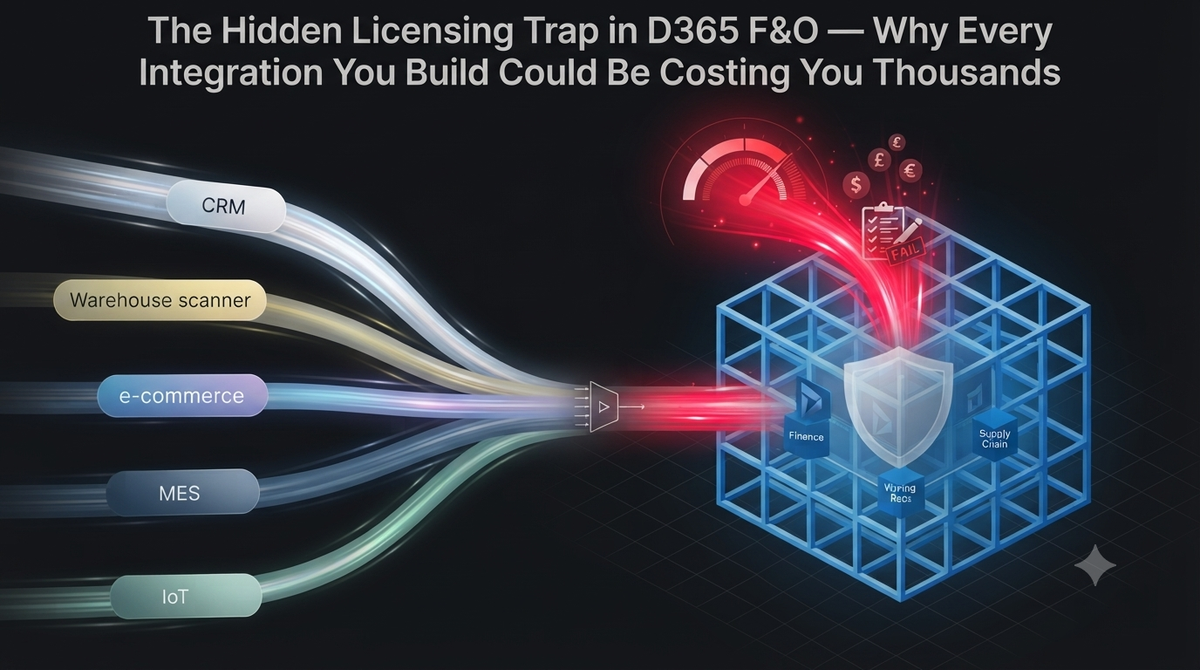
D365 is not just one system. It sits at the center of a massive, interconnected enterprise ecosystem.
You surround your core financial ledger with Power Platform applications, Power Automate flows, EDI pipelines, and autonomous AI agents.
The problem is that every single one of these external connections represents a potential licensing liability that your IT team likely missed during the initial implementation.
When you manage D365 F&O license compliance by simply counting the named users who log into the browser, you leave your budget entirely exposed to forensic audit reviews.
The solution is to map exactly how data enters your environment, who triggered the transaction, and what mechanical pipeline delivered it.
Securing these architectural boundaries transforms a sprawling, unmonitored compliance risk into a tightly governed, predictable technology footprint.
What Multiplexing Actually Means
When reviewing software spend, CFOs naturally assume they only need to purchase licenses for employees who physically log into the system.
Microsoft’s licensing engine completely rejects this assumption and looks at the underlying data architecture instead.
They enforce a strict, heavily audited compliance rule known as multiplexing, which dictates that indirect access to the ERP still requires a named license.
You cannot bypass a user license by putting a custom portal, a bot, or a pooling service in front of the D365 database.
To fix this gap, you must stop evaluating license requirements based on the user interface, and evaluate them based on the origin of the data transaction.
This governance shift prevents catastrophic billing surprises and ensures your architectural decisions align with Microsoft's enforcement reality.
The Most Common Multiplexing Traps
The most dangerous D365 integration licensing risk usually sits right on your warehouse floor.
Consider a standard manufacturing facility where fifty warehouse workers scan inbound inventory pallets using a ruggedized third-party barcode application.
None of those fifty workers have a D365 account, but their scanner communicates directly with the D365 database via an API to update inventory levels in real time.
During an audit, Microsoft will trace that API connection back to its source and demand fifty premium Operations licenses, backdated to the day the scanner went live.
You solve this by correctly mapping the data flow during the integration design phase and assigning the correct device-level licensing to the warehouse hardware.
Catching this architectural flaw before go-live saves your organization hundreds of thousands of dollars in unbudgeted software penalties.
Power Automate, Dashboards, and EDI Pipelines
The warehouse barcode scanner is just one example of how indirect access destroys an IT budget.
The same strict rules apply to the automated data pipelines connecting your broader business operations.
A Power Automate D365 license requirement is triggered the moment a background flow pushes approved expense data into your ledger.
If you build a Power BI dashboard that surfaces real-time F&O financial data to unlicensed executives, viewing that dashboard requires the exact same license as viewing it directly inside the ERP.
You protect your organization by architecting these pipelines using compliant service accounts and proper transaction licensing models.
Governing your integrations this way protects the IT budget from uncontrolled, compounding licensing sprawl across the enterprise.
The Automation Trigger Rule
The fundamental compliance rule you must remember when building integrations is the automation trigger.
If any step in your business process is automated, the license requirement follows the data, ignoring whatever software layers you place between the user and the database.
You cannot use a generic "system admin" service account to pool hundreds of external requests and funnel them into the ERP to hide the human users.
Microsoft telemetry easily identifies pooling accounts because they execute transactions at superhuman speeds across multiple business units simultaneously.
The solution is to design your integrations with complete transparency, never using a service account to mask the identity of the worker triggering the transaction.
This transparency ensures your architecture survives forensic telemetry scans from Microsoft without triggering a compliance failure.
The One Exception
There is only one genuine, audit-proof exception to the multiplexing rule that allows unlicensed users to interact with your business.
Fully manual data entry by a properly licensed user does not trigger multiplexing for the sender.
If an unlicensed customer emails a PDF purchase order to your business, and a licensed customer service representative manually types it into D365, you remain perfectly compliant.
However, the moment you implement an automated optical character recognition tool to read that PDF and create the order without human intervention, the automated pipeline requires licensing scrutiny.
You must carefully evaluate the cost of automation versus the cost of manual entry by a licensed user.
Maintaining this manual break in the automation chain provides an audit-proof compliance strategy for low-volume external data channels.
The Operations Order Lines License
Microsoft recognizes that charging a full user license for every B2B customer submitting automated orders is financially impossible.
To prevent businesses from abandoning the platform, they created a specific relief valve for high-volume automated scenarios called the Operations Order Lines license.
Instead of purchasing a named user license for every external person submitting an order, you purchase a capacity block based on the transaction volume itself.
This SKU covers designated sales, purchasing, and accounting transactions, alleviating the pricing friction for heavy EDI and IoT integrations.
You solve massive indirect access liabilities by shifting eligible automated pipelines to this transaction-based license model instead of fighting the multiplexing rule.
This delivers massive cost predictability by tying your software spend directly to your actual business transaction volume.
Why This Compounds Quietly
D365 multiplexing licensing risk grows in the shadows because internal developers are measured on deployment speed, not audit defense.
A developer might build a brilliant automated flow to save the finance team twenty hours of manual data entry a week.
They deploy the integration, the business celebrates the efficiency, but nobody flags the architecture to ask if it triggers a multiplexing event.
By the time the Microsoft True-Up audit arrives, this indirect access is buried across fifteen undocumented integrations built over three years.
You fix this by making license compliance a mandatory governance gate in your software development lifecycle.
Enforcing this check stops financial leakage before the non-compliant code ever reaches your production environment.
The CFO Business Case
The financial shock of a failed D365 True-Up audit can paralyze an IT budget for the entire fiscal year.
Microsoft auditors no longer rely on simple user questionnaires; they use sophisticated backend telemetry to identify exactly where data originates.
They will map your integrations, identify your pooling accounts, and hand your CFO a devastating, backdated compliance penalty that cannot be negotiated away.
You must map your integrations and identify your multiplexing risks before the audit notice ever arrives.
Running a proactive integration audit allows you to redesign non-compliant pipelines or shift to transaction-based licensing on your own terms.
This transforms a catastrophic, unbudgeted audit penalty into a predictable, manageable operating expense.
Securing Your ERP Ecosystem
License compliance is a continuous architectural discipline, not a one-time administrative task performed at go-live.
You cannot build integrations blindly and expect your user licensing tier to remain static while data flows into the system from every direction.
Every Power Automate flow, custom dashboard, and external portal must be evaluated for indirect access before it reaches production.
Stop treating licensing as an afterthought and embed it as a core component of your integration architecture.
When you design your ecosystem with strict multiplexing rules in mind, you secure your ledger and protect your balance sheet.
Do not wait for an auditor to expose your integration liabilities.
Frequently Asked Questions
Q: Does building a custom external portal that writes data back to F&O via Power Automate trigger indirect access licensing fees?
A: Yes, if external users create or modify data in F&O through an automated workflow without holding a named user license it violates Microsoft's multiplexing and indirect access licensing policies. Each transactional touchpoint must map to a properly licensed user or an explicit integration SKU.
Q: How does the barcode scanner trap inflate operational licensing costs in warehouse environments?
A: Deploying shared user accounts for warehouse barcode scanners across multiple shifts violates per named user licensing rules if concurrent operators exceed active seat counts. Organizations must evaluate whether an Operations Activity license or device specific licensing tier applies to floor operations.
Q: When do automated third party data integrations trigger Operations Order Lines penalties?
A: High volume automated ingestion of sales or purchase order lines via custom APIs or Data Entities bypasses user seat calculations and triggers volume based consumption metrics. Exceeding contractual thresholds mandates the purchase of explicit Operations Order Lines add-on packs to remain compliant.
Take control of your architecture today, and ensure every connection into your ERP is fully mapped, compliant, and optimized.
For comprehensive D365 F&O security reviews, custom role engineering, and multiplexing audit defense, visit sajeedmullaji.com.