D365 F&O Security Governance Phase 5 — Audit Evidence Delivery
Your external auditor wants one thing — a complete organized defensible evidence package. Discover how to build a Big Four grade D365 F&O ITGC audit evidence dossier that closes material weakness findings permanently.


You have spent weeks, perhaps months, remediating your Dynamics 365 Finance & Operations environment. You’ve cleaned up SysAdmin sprawl, purged ghost accounts, and surgically engineered custom roles to eliminate toxic Segregation of Duties (SoD) conflicts.
You are secure. But in the world of IT General Controls (ITGC), if it isn’t documented, it didn’t happen.
Phase 5 of our D365 F&O Security Governance Roadmap is Audit Evidence Delivery. This is the culmination of your entire governance engagement. It is the moment you hand your external auditors—whether they are from Big Four firms or regional practices—a complete, structured, and irrefutable dossier that proves your compliance posture.
This article details exactly how to structure that dossier, transforming a chaotic data dump into an effortless, confident audit review.
The Psychology of the Audit: Why Structure Matters
When an external auditor requests D365 F&O ITGC audit evidence, they are not just checking boxes. They are assessing your organization's maturity regarding data integrity and financial reporting risks.
If you dump 50 unorganized screenshots and raw Excel exports onto their shared drive, you signal organizational chaos. You invite deeper scrutiny because the auditor assumes that if your evidence is messy, your controls are likely messier.
A world-class D365 audit evidence package tells a story. It has a beginning, a middle, and an end. It bridges the gap between technical reality (what the system allows) and process governance (what management authorized).
Our fictional client, Sajeed Mullaji Consulting (SMC), demands this rigor. This dossier structure is what we deliver to ensure zero compromises and zero doubt during an ITGC logical access controls review.
The Master Dossier Structure
We utilize a strict folder hierarchy and document numbering system. This standardization is crucial for a Big Four audit of D365 F&O. It allows the IT audit team to follow a logical progression of controls.
Here is the exact specification of the SMC Audit Evidence Dossier.
Cover Page — 00_Master_Audit_Index_and_Signoff_Cover.pdf
This is the single most important document in your package. It is the roadmap for the entire engagement.
Contents:
- Executive Summary: A brief overview of the governance engagement scope, highlighting that logical access controls have been reviewed, assessed for SoD risks, and remediated based on principles of least privilege.
- Master Index Table: This table maps every single document in the dossier to specific audit control references.
- CC6.1 through CC6.4: Logical Access Controls (security reviews, provisioning, SoD).
- AC-2: User Access Reviews (periodic attestation).
- AC-3: Access Modification and Termination (offboarding).
- CC6.1 through CC6.4: Logical Access Controls (security reviews, provisioning, SoD).
- Formal Sign-Off Block: This dossier is not just an IT artifact; it is a management assertion. It requires physical or electronic signatures from:
- Head of IT Security / IT Director
- IT Audit Director
- CFO (as the ultimate business process owner)
- Head of IT Security / IT Director
Why it passes:
This cover page proves that business process owners (the CFO) have reviewed and accepted the security landscape. It moves security from an "IT decision" to a "business control."
Section 1 — Population Baseline
Before discussing risk, we must define the universe of users and high-privileged accounts.
01.1 Active User Role Assignments
Data Source: Direct extraction from D365 F&O Data Entities (SysUserRoleOrganizationV2Entity).
Contents: A comprehensive matrix listing every enabled user ID, their full name, email address, and every security role assigned to them.
How populated for SMC: This report shows every user in the USMF legal entity. It highlights that "Frank, AP Manager" no longer holds the conflicting Payments Clerk role. It also shows Tanya in Sales and Oliver in Operations, confirming their access aligns with their job functions.
Auditor Look-For: The auditor reconciles this list against the HR active employee roster. They fail you if they find terminated employees (terminated users should be disabled, not deleted, in D365, and that status must be evident here).
01.2 Privileged SysAdmin Inventory
Data Source: Manual attestation validated against D365 system logs (User Log).
Contents: A critical list of every user holding the "System Administrator" role. In a secure D365 environment, this number should be exceptionally low (typically 1-3 accounts).
How populated for SMC: We document three accounts:
- Admin (Service Account): Justified for core infrastructure maintenance. Risk: High. Remediation: Monitored via alerts.
- Sajeed Mullaji (Consultant): Temporary access granted for the remediation project. Justified per Change Request SMC-CR-099. Risk: High. Remediation: Access window closed (verified revoked).
- SVC_SalesforceAPI: A system-to-system integration account. Risk: Medium. Remediation: Role reviewed; restricted from functional UI access.
Included in this section is proof of the Wayne Ghost Account—a legacy consultant account found during Phase 1 discovery that was active but unauthorized. We document its discovery, purge, and the date of revocation.
Auditor Look-For: Ghost accounts or undocumented admin access are immediate audit failures (Material Weakness). This document passes because it shows proactive inventory management and formal justification for all "God-mode" access.
Section 2 — Risk Assessment
This section proves you are monitoring risk, not just hoping it doesn't exist.
02.1 Native SoD Conflict Matrix Baseline
Data Source: D365 F&O Native SoD Workbench.
Contents: An export of the system-generated conflict report before remediation engineering began.
How populated for SMC: This report explicitly lists users who were flagged with toxic combinations. It shows that Frank (AP Manager) could create vendors AND approve payments. It also highlights similar conflicts for April and Sara in the procurement cycle.
Auditor Look-For: The auditor must see that management identified these risks proactively using the system's native tools. An undocumented risk is a failed audit. A documented risk with a clear remediation timeline (which we provide in the next section) is a passed control.
Section 3 — Remediation Engineering
This is where we prove how we neutralized the risks identified in Section 2.
03.1 SMC Custom Role Definition Specification
Data Source: D365 Security Configuration workspace (XML / JSON backup and documentation).
Contents: For every toxic standard Microsoft role identified in Section 2, we provide a specification sheet detailing the surgical remediation. We adhere strictly to the "Golden Rule": Never modify standard roles; always duplicate.
How populated for SMC: We present the specification for the SMC - Accounts Payable Manager - No Vendor Master role.
- Original Role: Standard
Accounts payable manager. - Toxic Duties Removed:
Maintain vendor master. - Duties Added (For Continuity):
Inquire into vendor master(ensuring AP can still view vendors to process invoices, but cannot create or modify them). - Audit Impact: The specific SoD conflict (Vendor Creation vs. Payment Approval) is mathematically impossible for users assigned this new role.
Auditor Look-For: The auditor reviews this to ensure business continuity was not sacrificed for security. By showing that "Inquire" access replaced "Maintain" access, we prove least-privilege engineering was performed thoughtfully.
Section 4 — Verification Proof
Mathematical proof that the remediation worked.
04.1 Post Remediation Clean SoD Verification
Data Source: D365 F&O Native SoD Workbench (Post-remediation run).
Contents: A fresh export of the SoD conflict matrix showing a clean slate for the remediated users.
How populated for SMC: This report filters specifically for Frank, April, and Sara. Their names are entirely absent from the conflict grid, proving the risk is permanently resolved.
Auditor Look-For: The auditor will re-run the SoD check in the live environment for these users. Because we engineered the roles correctly, the system confirms the absence of conflict. This is the definitive proof of remediation.
Section 5 — Process Governance and Approvals
This is the bridge between IT activity and business ownership. This section answers the critical question: "Who authorized this change?"
05.1 Access Provisioning Change Tickets
Data Source: IT Service Management System (e.g., ServiceNow, Jira, Cherwell).
Contents: Formal change request tickets. System logs show what changed; these tickets show who requested it and who approved it before it happened.
How populated for SMC: We provide the reference SMC-APR-001. This ticket documents the request to un-assign Frank from the standard AP Manager role and assign him the secure SMC - Accounts Payable Manager role. It includes sign-off from the AP Department Manager acknowledging that this change affects their team's daily operations.
Auditor Look-For: Auditors look for pre-approval. A ticket opened after the role was changed is a failure. This section proves that governance preceded technical action.
05.2 Emergency Break Glass Access Log
Data Source: Manual Log / SIEM Integration.
Contents: A detailed log of every time a "System Administrator" account was used outside of normal business hours or for emergency break-glass scenarios.
How populated for SMC: We document three instances of SysAdmin usage over the audit period. For each, we log:
- User: Sajeed Mullaji (Consultant).
- Timestamp: 2026-08-15, 22:00 UTC.
- Justification: Emergency deployment of critical security configuration transport following UAT sign-off.
- Duration: 2 hours.
- Reviewer: IT Audit Director sign-off on 2026-08-16.
Auditor Look-For: Failure to monitor emergency access is a major finding. This log passes because it shows strict documentation, business justification, and subsequent review by management.
Connection to previous parts
This audit evidence dossier was built progressively across Parts 1 through 4 of the D365 F&O Governance Roadmap series. Part 2 established the user baseline and identified SysAdmin sprawl. Part 3 exposed Frank's $250,000 SoD conflict. Part 4 engineered the least-privilege custom role that permanently eliminated it. Part 5 packages everything into a single defensible evidence submission. Each phase feeds the next — and the dossier is the proof that the entire engagement delivered measurable results.
What Happens Next?
Passing the ITGC audit is not the end of the governance journey; it is the baseline for maturity.
Once logical access is secure (as proven by this dossier), we move to optimizing the environment for cost and performance. Our next series, delivered via dedicated Azure-hosted sessions, will cover:
- License Optimization: Downgrading expensive Enterprise licenses to cheaper Activity/Team Member licenses based on actual usage telemetry (now that security roles are clean).
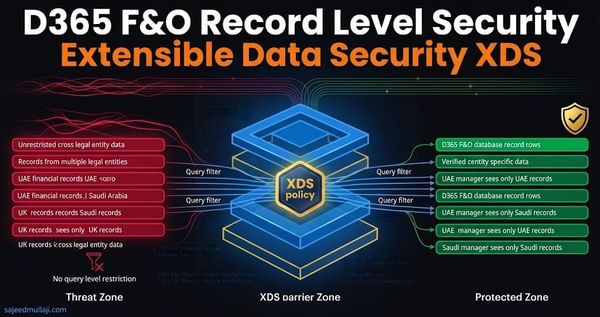
- XDS (Extensible Data Security): Implementing complex, row-level security constraints (e.g., preventing a specific user from viewing data for a specific legal entity).
- Entra ID Governance: Implementing PIM (Privileged Identity Management) for time-bound, approval-based SysAdmin access.
The complete SMC D365 ITGC Audit Evidence Dossier template is available for download directly on this page — including the Master Audit Index cover page, all five section templates, the Access Provisioning Change Request form, and the Emergency Break Glass Access Log. Download it below and adapt it for your own D365 F&O environment. Every field is pre-populated with realistic demo data from the Sajeed Mullaji Consulting engagement so you can see exactly how a completed dossier looks before building your own.

Download the complete SMC D365 ITGC Audit Evidence Dossier — all seven documents across five sections — pre-populated with realistic demo data. Adapt it for your own D365 F&O environment.
Frequently Asked Questions (FAQ)
Here are the hyper-specific questions CFOs and IT Audit Directors ask regarding D365 F&O audit evidence.
Q1: Our external auditors use their own proprietary scripts to analyze D365 data. Why do we need to provide this manual dossier?
A: While Big Four auditors will run their own scripts (e.g., ACL, SQL queries) against your database backups, providing this dossier signals that you already know what their scripts will find. It frames the audit as a collaborative review of your known controls rather than an interrogation of unknown risks. If their scripts find a conflict you haven't documented in Section 2 and remediated in Section 3, you face a "failure to monitor" deficiency. This dossier is your first line of defense.
Q2: How do we handle the fact that D365 roles are constantly changing due to Microsoft monthly updates?
A: This is precisely why Section 3 (Remediation Engineering) emphasizes duplicating standard roles rather than modifying them. When Microsoft updates a standard role (e.g., Accounts payable manager), your SMC custom copy remains untouched because it is a separate, isolated object. Your audit evidence package should include a statement in Section 3 confirming that your security design utilizes a custom namespace to remain independent of Microsoft updates.
Q3: The CFO is signing off on this dossier, but they are not technical. How can we ensure they understand what they are attesting to?
A: The Cover Page (Section 00) must be translated into business language, not IT jargon. Instead of presenting the CFO with a list of duties and privileges, present them with the business risk that was mitigated. For example: "We have remediated the risk that allowed a single employee to create a new vendor and approve payment to that vendor without oversight." The CFO is attesting to the effectiveness of the business process control, not the technical implementation of the D365 security layer.