D365 F&O Dataverse Access — How to Make New User Provisioning Completely Automatic

Every time a new Finance Manager is hired, an IT helpdesk ticket is generated. An administrator logs into the system, navigates through user records, and manually assigns security roles one by one.
This manual process is fundamentally flawed for enterprise environments. It creates severe access gaps, costly operational delays, and massive human error.
By the time external auditors arrive, they inevitably find over-provisioned users, conflicting security roles, and orphaned accounts.
In my security governance work across the UK, GCC, and Indian markets, this is the most consistent ITGC audit failure I see. Manual provisioning relies on human memory, and human memory scales poorly.
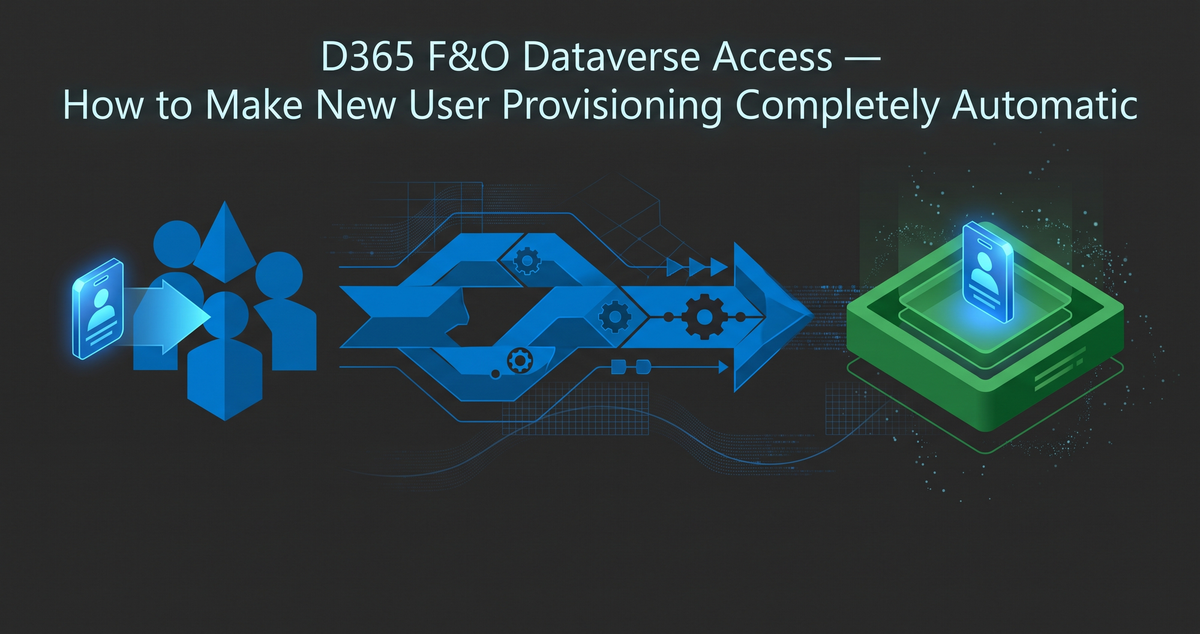
The solution is zero-touch architecture. You must remove the human element from ERP security assignments entirely.
Today, I am walking you through a fully executed provisioning pipeline using Entra ID Dataverse security group sync.
I have already configured the environment and processed a test user. We are going to look at the finished architecture to see exactly how D365 automated user provisioning works in reality.
Component 1: The Source of Truth (Entra ID)
The first component of this architecture exists entirely outside of the ERP. We start in the identity provider.
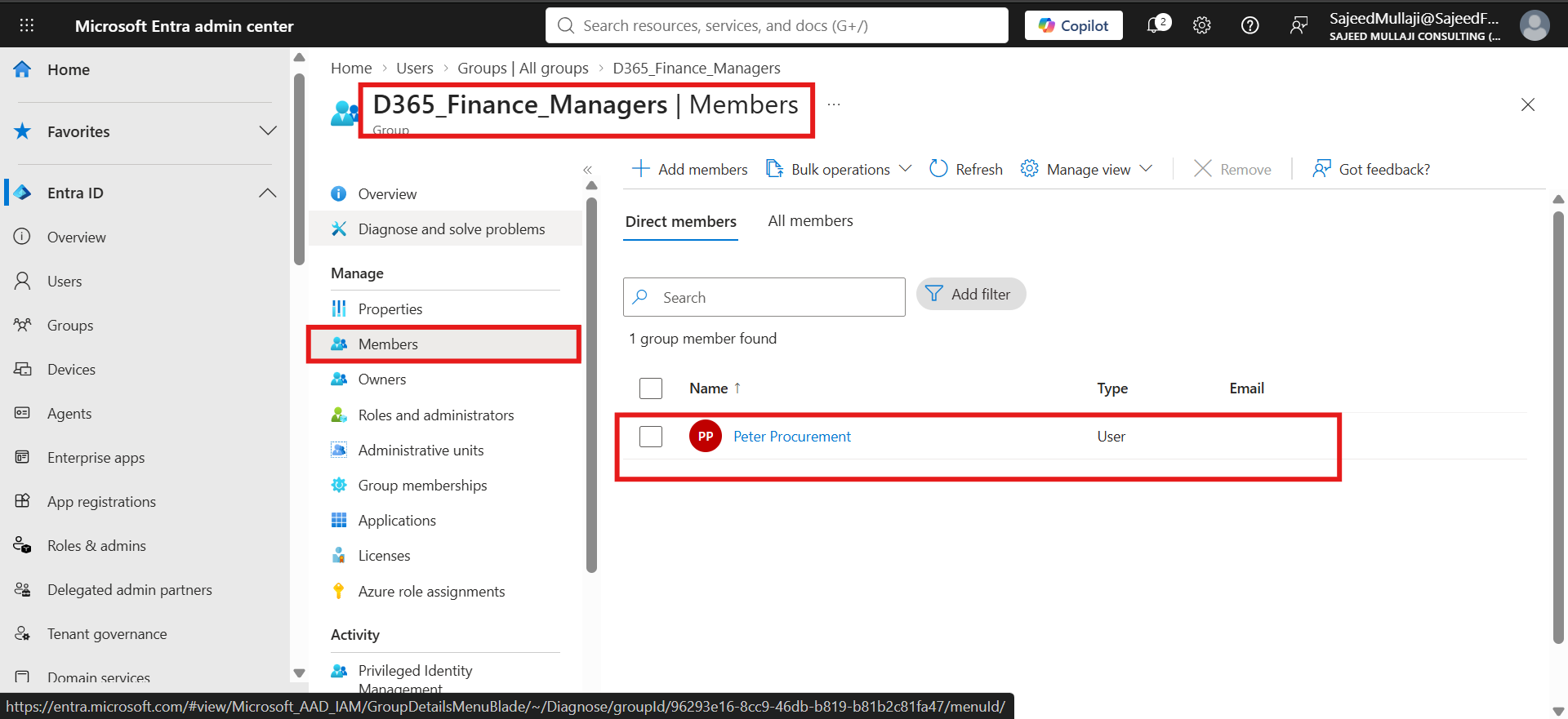
Here is the Entra ID security group we created, specifically named D365_Finance_Managers. Inside this group, you can see our test user, Peter Procurement, is already a member.
This is the only manual action required in this entire workflow. Adding a user to this specific Entra ID group triggers the rest of the automation automatically.
In a mature enterprise architecture, your HR system or the hiring line manager performs this single action. No IT helpdesk ticket is ever involved, and no system administrator is required to intervene.
Component 2: The Automation Bridge (Dataverse Group Team)
The second component bridges the gap between your identity provider and your business data.
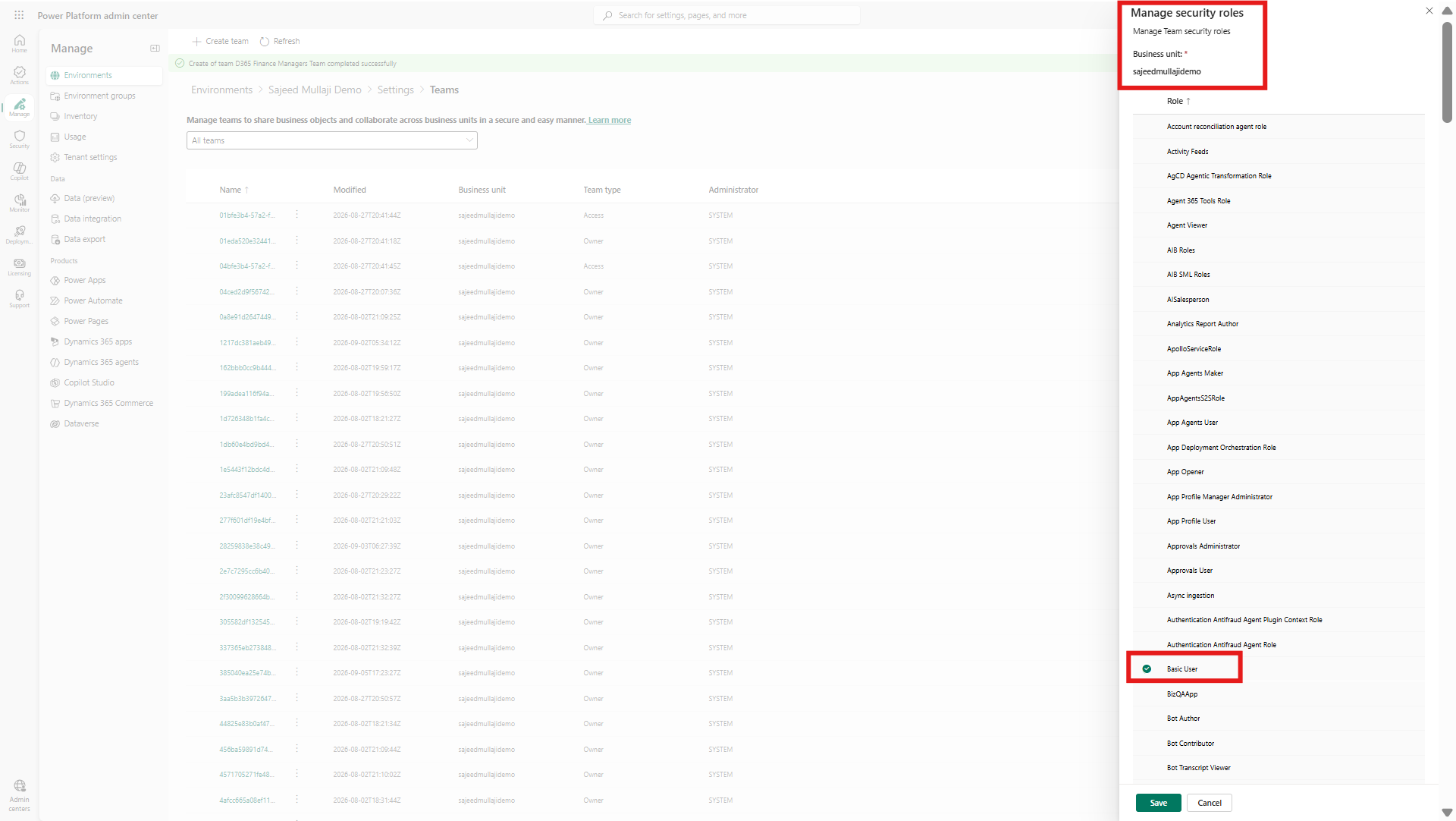
Here is the Dataverse Group Team we configured in the Power Platform Admin Center. We named it D365_Finance_Managers to mirror the identity group perfectly.
Notice the team type configuration. It is explicitly defined as a Microsoft Entra ID Security Group.
We have linked this team directly to our Entra ID security group. This is the Entra ID security group Dataverse mapping in action, tying identity directly to ERP access.
At the bottom of the configuration screen, you will see the Basic User security role assigned directly to the team itself. We assign security roles to the architecture, never to the individual user.
This creates an unbreakable automation bridge between Entra ID and Dataverse.
Component 3: The Holy Grail (Automated Provisioning)
For a CFO or IT Audit Director, this final component is the ultimate proof of compliance and security control.
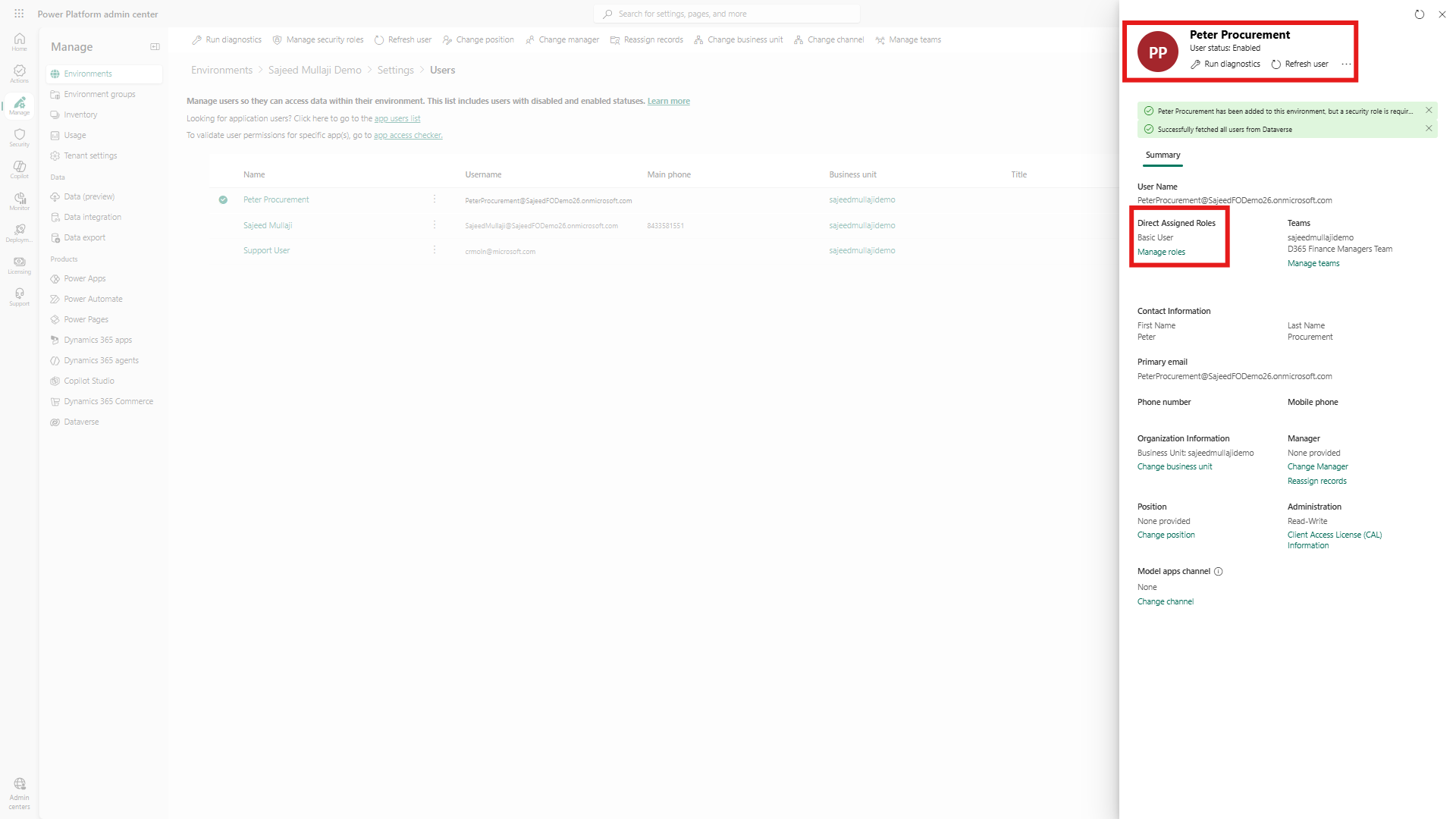
Here is the Users list inside the Power Platform Admin Center. You can see Peter Procurement appears perfectly provisioned in the environment.
The Basic User role has been assigned to him automatically. There was zero manual IT action and zero risk of an administrator missing a critical role.
This is pure Dataverse access provisioning automation. The moment Peter logged in, the system read his Entra ID token, dropped him into the team, and granted the exact access required.
No one logged into the ERP to grant this access. The audit trail remains absolutely pristine.
Addressing Enterprise Implementation Complexities
Implementation teams often face complex provisioning scenarios that go beyond basic access.
What if the new Finance Manager needs more than just Basic User access? The solution is straightforward and highly scalable.
You simply assign multiple security roles to the Dataverse Group Team. Every member of the Entra ID group automatically inherits all assigned roles instantly.
If a user needs the Finance Manager role, the Sales Manager role, and a custom reporting role, you assign all three to the team. One group, one team, multiple roles, and complete automation for every new joiner.
Handling External Consultants and B2B Scenarios
Does this architecture work for external consultants, or is it restricted only to internal employees?
It works flawlessly for both. Entra ID natively supports B2B guest users, making external provisioning incredibly secure.
You simply invite the external consultant as a guest into your tenant and add them to this exact same security group.
They are automatically provisioned in Dataverse with the correct role. It is the exact same automation pipeline applied to a different user type, keeping your external access tightly governed.
The Leaver Process and Instant Revocation
When an employee leaves the company, does removing them from the Entra ID group automatically remove their Dataverse access?
Yes, the revocation happens instantly. Removing the user from the D365_Finance_Managers group immediately drops them from the Power Platform Dataverse group teams.
Their security role is revoked immediately, slamming the door shut on orphaned access risks.
This automated revocation perfectly complements the Entra ID Lifecycle Workflows we configured in Phase 2 of this security architecture series.
Lifecycle Workflows handle disabling the core Entra ID account and stripping licenses. This Group Team sync handles the Dataverse role revocation.
Together, they automate the complete joiner, mover, and leaver lifecycle without requiring a single manual IT intervention.
Why This is the Correct Enterprise Architecture
Blueprint security is highly cost-effective, while post-go-live cleanup is brutal and expensive.
If you are implementing Dynamics 365 in highly regulated markets like the UK or GCC, manual provisioning is a critical vulnerability.
This architecture isolates the access boundary strictly to Entra ID. It ensures your ERP is never exposed to rogue manual assignments or accidental over-provisioning.
You design the security matrix once, map it to your identity groups, and let the cloud infrastructure execute the policy flawlessly every single time.
For a complete breakdown of this enterprise security strategy, review my full governance series at sajeedmullaji.com/tag/d365-governance-roadmap.
To streamline your own secure implementation, you can leverage my custom configuration templates at sajeedmullaji.com/tag/templates.
Stop manually assigning security roles and start architecting a system that passes ITGC audits by default. Visit sajeedmullaji.com to secure your ERP implementation today.
Advanced Q&A for Microsoft Partners & IT Directors
Q1: How exactly does Dataverse handle the timing of user creation when relying on Entra ID group synchronization?
Dataverse utilizes Just-In-Time (JIT) provisioning for this architecture. The user record is not physically created in the Dataverse system user table the moment they are added to the Entra ID group. Instead, the user record is automatically generated the very first time the user attempts to access the environment, or when a system administrator forces a manual user sync from Entra ID. Upon creation, Dataverse reads the group membership and inherits the mapped Team roles instantly.
Q2: Can we streamline our identity architecture by using nested Entra ID groups mapped to a single Dataverse Group Team?
No. Dataverse Group Teams strictly evaluate direct membership only. If you place a "Junior Accountants" Entra ID group inside a "Global Finance" Entra ID group, the nested users will not inherit the Dataverse Team role mapped to the parent group. Users must be direct members of the specific Entra ID group mapped to the Dataverse Team. Identity architecture must be kept flat for application access to function correctly.
Q3: Does mapping Entra ID groups to Dataverse Teams bypass the prerequisite of assigning base D365 F&O or Power Apps licenses?
Absolutely not. Group Team mapping automates the assignment of security roles and environment access, but it does not replace licensing enforcement. The user must still possess a valid base license (assigned directly or via group-based licensing in Entra ID) to access the environment. If a user is in the mapped security group but lacks a license, they will be blocked at the environment boundary before the security roles are even evaluated.